Understanding your farm's finances is essential whether you're a hobby grower or a full-time market farmer. CropsBook™'s Operations Hub gives you tools to track every expense and dollar of income, manage your equipment, and prepare for tax season — all without leaving the app.
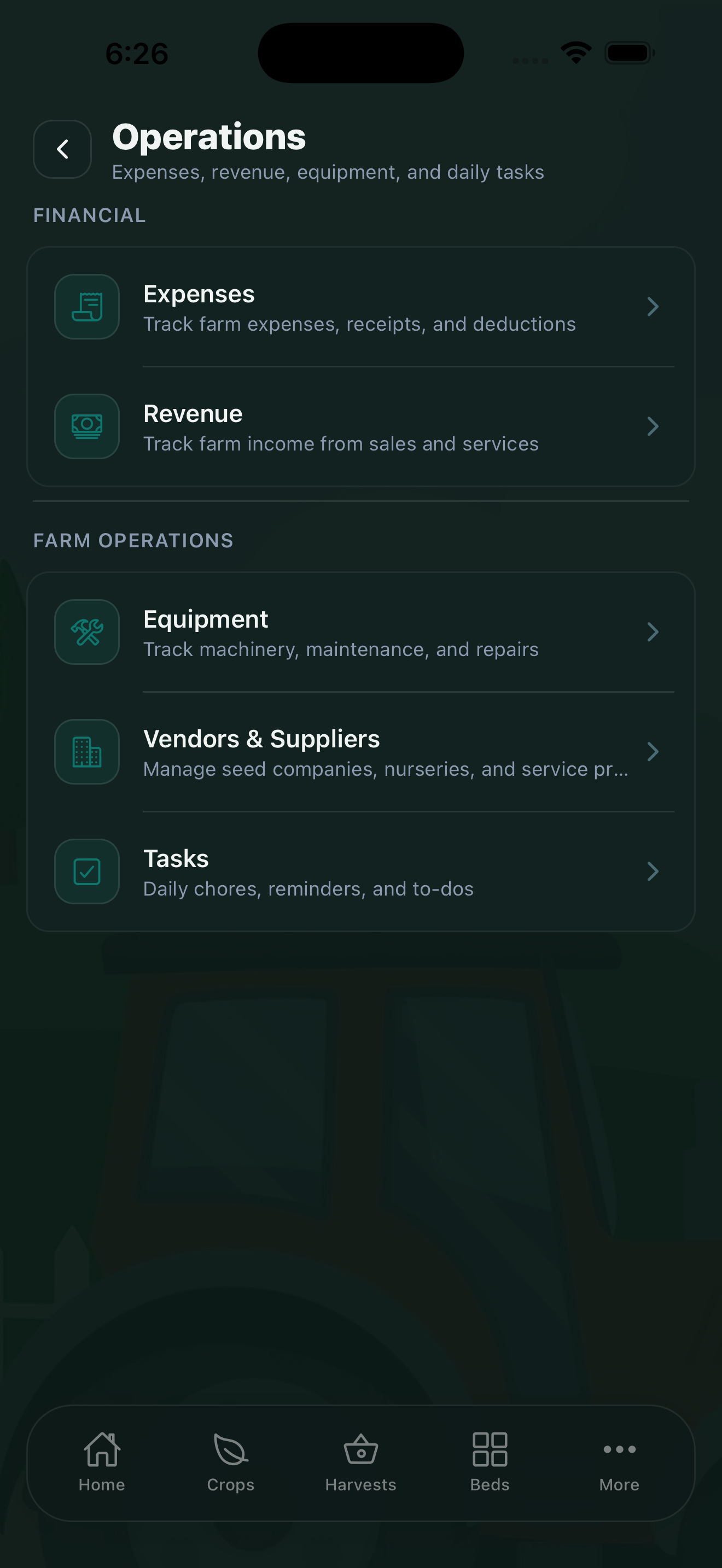
Expense Tracking
The Expenses tab (bottom of the screen) is your primary place to record farm spending. For each expense you can record:
- Amount and date
- Vendor or payee — who you paid
- Category — using IRS Schedule F categories (seeds, fertilizer, fuel, labor, equipment rental, etc.)
- Receipt photo — attach a photo of the receipt directly in the app
- Notes — any additional detail for your records
The free plan allows up to 50 expenses per month. Upgrade to Pro for unlimited expenses.
AI Receipt Scanner
The fastest way to log an expense is to photograph the receipt. In the AI Tools Hub, the AI Document Scanner can read receipts from farm stores, co-ops, and suppliers — extracting the vendor name, amount, date, and suggested expense category automatically. PREMIUM
Photograph receipts the day you make a purchase. The AI reads vendor, amount, and date — you just confirm and save. This takes about 10 seconds per receipt and builds a complete expense record without manual data entry.
Schedule F Categories
CropsBook expenses are organized using IRS Schedule F (Profit or Loss from Farming) categories. This means your expense data maps directly to your tax return at the end of the year. Categories include:
- Seeds and plants purchased
- Fertilizers and lime
- Chemicals (pesticides, herbicides)
- Fuel and oil
- Labor hired
- Repairs and maintenance
- Supplies purchased
- Insurance
- Rent or lease
- And more — covering all Schedule F line items
Revenue Tracking
Record all farm income in More → Operations → Revenue. This captures money from:
- Farmers market sales
- Farm stand and direct sales
- CSA subscriptions and distributions
- Wholesale accounts
- Grants and subsidies
Tax & Deductions
The Tax & Deductions feature (More → Analytics & Reports) pulls all your categorized expenses and revenue together into a Schedule F summary. It shows your profit and loss by category and calculates your net farm income for the year. PRO
You can export this as a PDF or CSV to share with your accountant or use when filing your own taxes.
Equipment Tracking
Go to More → Operations → Equipment to maintain a record of your machinery and tools. For each piece of equipment you can track:
- Equipment name, make, and model
- Purchase date and cost
- Maintenance history and scheduled service dates
- Repair costs (which link back to your expenses)
The free plan supports up to 3 pieces of equipment. Pro gives you unlimited equipment records.
Vendors & Suppliers
The Vendors & Suppliers feature (More → Operations) keeps a directory of seed companies, nurseries, feed stores, cooperative buyers, and anyone else you regularly do business with. Vendor records link to your expenses, making it easy to see total spending per supplier over the season. PRO
CropsBook™ is Available on the App Store
CropsBook™ is available on the App Store for iPhone, iPad, and Mac.
Download on the App Store