Harvest records are one of the most important data points in CropsBook™. Every yield you log becomes part of a growing dataset that drives your analytics, profitability insights, and AI-powered predictions. Here's how to log harvests and make the most of the data.
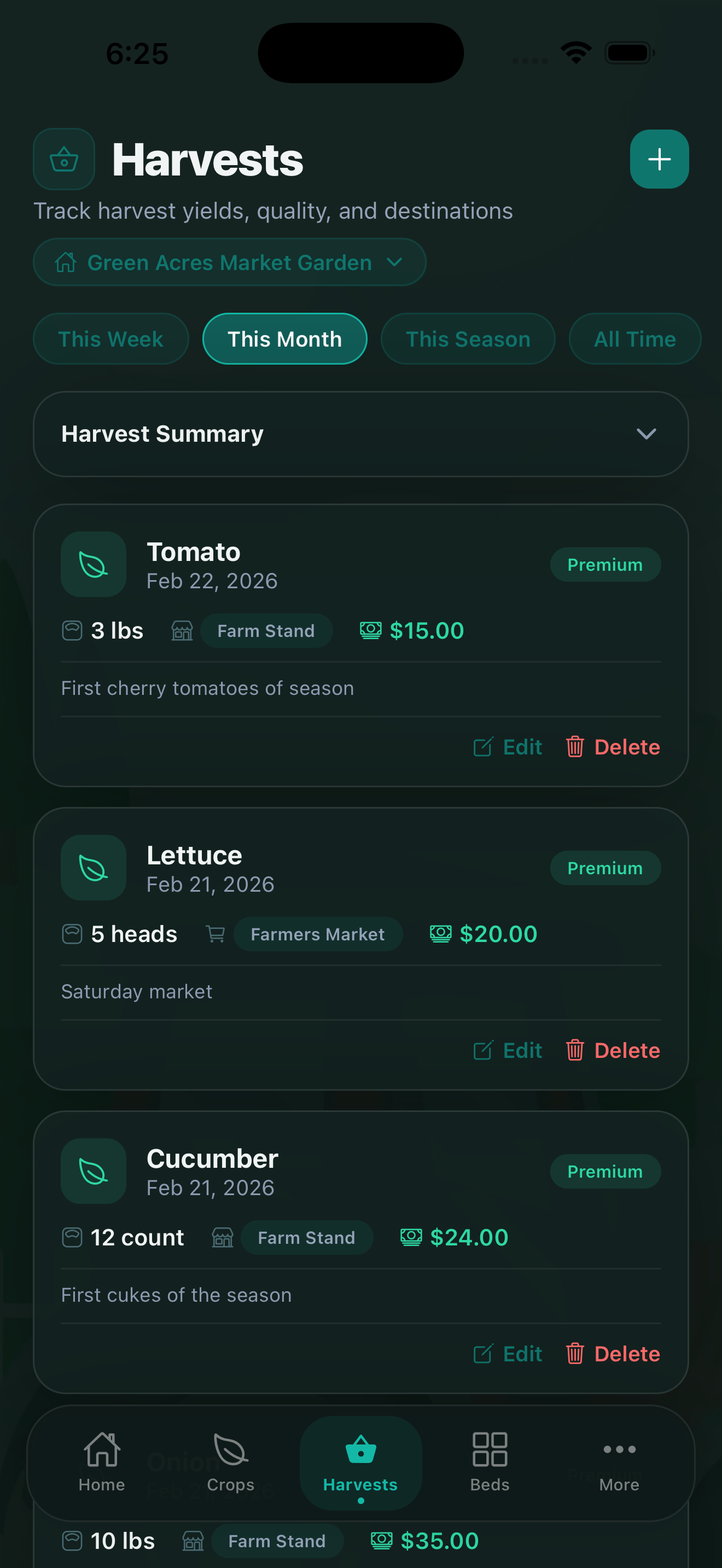
Logging a Harvest
Tap the Harvests tab and tap + to log a new harvest. Record:
- Crop — which crop and variety was harvested.
- Harvest date — the date you picked or cut.
- Yield amount — weight (lbs, kg, oz) or unit count depending on the crop.
- Quality grade — grade the quality of the harvest (e.g., first quality, seconds, cull).
- Notes — any observations about the harvest, crop condition, or environmental factors.
Log harvests as you pick them, not at the end of the week. Accurate dates let the analytics show you exactly when each crop peaks — useful data for planning next season's succession schedule.
Yield Tracking Over Time
As you log harvests, CropsBook builds a yield history for each crop and variety. You can view this on a chart that shows cumulative yield by week or month. This is available under More → Analytics & Reports → Harvest Analytics. PREMIUM
Harvest analytics breaks down yield by:
- Crop and variety
- Garden bed
- Month or season
- Quality grade distribution
Season Comparison
The Season Comparison feature lets you compare total yield, revenue, and expenses side by side across multiple growing seasons. PRO
This is especially useful for understanding whether a crop is improving year-over-year or whether a change in practice (new variety, different fertilizer, new bed) made a measurable difference.
Harvest Timing AI
The Harvest Timing feature in the AI Tools Hub predicts optimal harvest windows for each of your crops based on growth data, weather conditions, and historical performance. PREMIUM
It runs on-device and uses the planting dates, variety data, and weather journal entries you've already logged — no cloud connection required.
From Harvest to Revenue
Harvest records link directly to your revenue tracking. When you record a sale in Farm Stand Sales or a CSA distribution, you can reference which harvests were used. This creates a complete chain from bed to customer — essential for per-crop profitability analysis.
Learn more in the Sales & CSA guide and the Expenses & Revenue guide.
CropsBook™ is Available on the App Store
CropsBook™ is available on the App Store for iPhone, iPad, and Mac.
Download on the App Store